 LedgerCrossing
Security and IT review
Before LedgerCrossing goes on a computer that holds your books, IT will want to know three things: what it runs, what it sends, and who can reach it. Here are the answers, and each one can be checked on the machine.
At a glance
| Made by | EFFIQUEST, LLC |
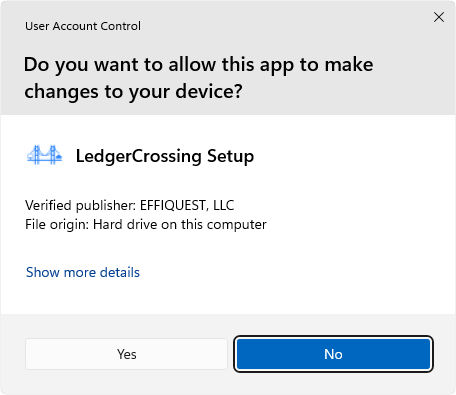
| Code signing | The installer and the app are signed as EFFIQUEST, LLC, with a timestamp |
| Runs on | The Windows computer that runs QuickBooks Desktop: Windows 10, 11, or Windows Server 2016–2025 |
| Talks to QuickBooks through | Intuit's QuickBooks SDK (qbXML), the same interface the Web Connector uses |
| Listens on | One port, 8284, for the HTTP API and the MCP server |
| Sends to us | A license check once a day: the license key and a machine fingerprint. No QuickBooks data |
| Who can connect by default | Only this computer |
| Internet access | Off unless you set it up: LedgerCrossing Remote (per-person sign-in, read-only by default) or your own tunnel (API key required) |
| Records | An audit log on the machine |
| Price | One-time purchase, 30-day money-back guarantee |
What runs where
LedgerCrossing is a Windows app on the computer where QuickBooks Desktop runs. It reaches QuickBooks only through Intuit's own SDK. The first time it connects, QuickBooks asks an Admin to allow it (the "Application Certificate" window) and to pick the QuickBooks user it signs in as. That user's QuickBooks permissions apply to everything it does, and so does the company file's closing date: QuickBooks itself refuses changes to closed periods. If someone has the company file open in QuickBooks on that same computer, requests run in their session, as their QuickBooks user.
The app opens one port, 8284. The HTTP API and the MCP server for AI agents both use it, with the same access rules.
What leaves the machine
- License check, to us. Once a day the app sends its license key and a machine fingerprint to ledgercrossing.com. The fingerprint is a one-way SHA-256 hash of hardware identifiers. No company file names, no QuickBooks data. If our server can't be reached, the app keeps running on its last check for 7 days.
- LedgerCrossing Remote, if you use it. Internet requests travel through a relay built on ngrok. ngrok decrypts the traffic at its edge to route it, then forwards it to your machine over an encrypted tunnel. Relay requests never pass through our servers.
- Your own tunnel, if you set one up. Traffic goes through the tunnel provider you choose (for example Cloudflare), under your account with them.
- Your AI provider, if you connect one. When Claude or ChatGPT asks for data, that data goes to the AI provider under your account with them. LedgerCrossing sends only what the AI asks for.
Nothing else calls home. Outbound hosts for a firewall rule: ledgercrossing.com and its fallback
ledgercrossing-production.up.railway.app (license check). With Remote, add ngrok's network; with
your own tunnel, that provider's.
Who can connect
- This computer: always.
- The office network: off until you turn it on. Only private and VPN addresses, optionally restricted to specific addresses or CIDR ranges. The Windows network must be Private or Domain, not Public.
- The API key: every networked call needs it. A missing or wrong key gets
401. After 10 from one address, that address is blocked for a minute. - HTTPS: turn it on in Settings. LedgerCrossing creates a certificate for the machine and shows its SHA-256 fingerprint for your client to pin.
- LedgerCrossing Remote (from the internet): each person signs in with a username and password you create. Everyone starts read-only: writes are refused until you allow them. You can limit a person to specific company files, and removing a person signs them out everywhere at once. The API key is refused over Remote unless you allow it.
- Your own tunnel (for example Cloudflare): requests arriving through a proxy on this computer are never treated as this computer; every one needs the API key. Remote's read-only default doesn't apply here: the key holder can read and write.
- Secrets at rest: the API key, the sign-in signing key and the Remote credential are encrypted with Windows DPAPI on the machine.
Guardrails on what an AI agent can do
- Read-only by default over LedgerCrossing Remote, per person.
- Unbounded queries refused. A query with no limit is stopped before it reaches QuickBooks, so an agent can't lock up a large company file.
- One request at a time. Every caller goes through one queue, as QuickBooks Desktop requires.
- QuickBooks' own controls still apply: the signed-in QuickBooks user's permissions, the closing date, and QuickBooks' Audit Trail of every posted transaction.
What's recorded
The audit log on the machine records each qbXML request (source address, operations, company file, and the person, for Remote sign-ins), sign-ins, user changes, and every failed or blocked key attempt. Three real lines from a test on Intuit's sample company file:
2026-10-27 10:10:06.065 QBXML-READ source=10.50.0.5 ops=CustomerQueryRq file=C:\Users\Public\Documents\Intuit\QuickBooks\Sample Company Files\QuickBooks Enterprise Solutions 21.0\sample_product-based business.qbw result=ok
2026-10-27 10:10:06.227 AUTH-FAIL source=10.50.0.5 path=/api/v1/qbxml reason=bad-key
2026-10-27 10:10:06.688 AUTH-THROTTLE source=10.50.0.5 blocked for repeated auth failures
Turning it off
Exit LedgerCrossing from the tray icon, or uninstall it from Windows Settings. To revoke its access inside QuickBooks, remove it under Edit > Preferences > Integrated Applications > Company Preferences.
Buying from a small company
LedgerCrossing is a one-time purchase per computer, with no subscription for the core app, and a 30-day money-back guarantee. Payment is by Stripe; your card never touches our servers. What we collect and why: Privacy policy.
Questions from your IT team: [email protected].